
After the first launch in 2022, Poppo Live has built a growing global community of users from more than 150 countries. As a host, you can use the platform to meet new people, entertain viewers, share your talents, and grow your following. From singing and performing to casual conversations and everyday livestreams, there are plenty of ways to create content that suits your style. In this guide, we’ll take you through the key steps to becoming a Poppo Live host, from setting up your account to joining an agency.
Where Should You Begin?
- Download Poppo Live
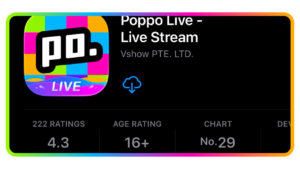
Find the Poppo Live app on the App Store or Google Play, then download and launch the application to get started with registration or login.
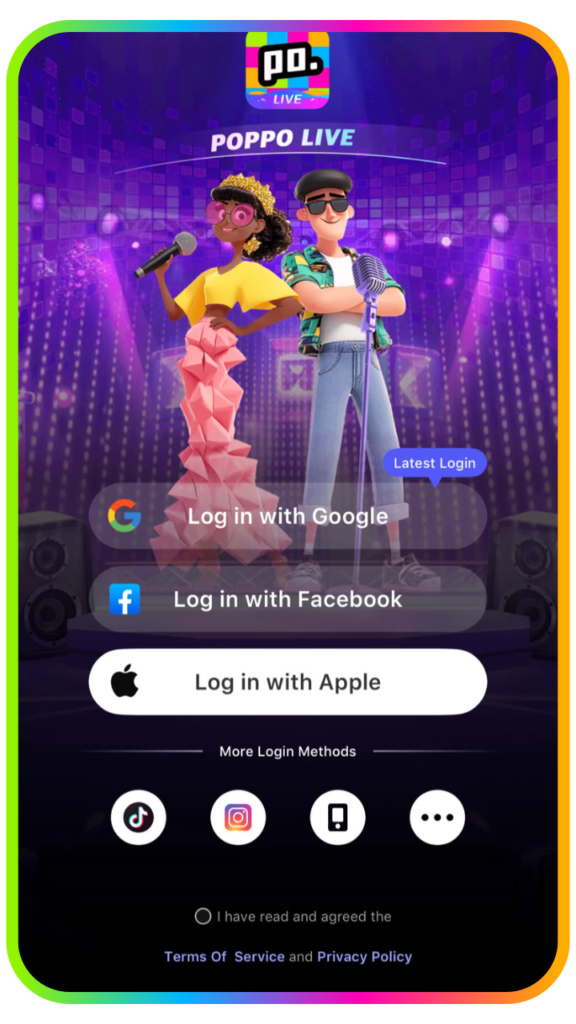
- Create Your Account
You can sign up using your phone number, Facebook account, or active Google account. Alternatively, enter your personal information manually. Keep in mind that an existing account cannot be registered again.
- Enter the Referral Code
Enter 4345306 in the referral code field, then click Enter to complete this step.
Your Poppo Live account is now ready! Before going live for the first time, complete your profile with relevant tags and a short introduction to help attract viewers. Once your profile is set up, you can either start streaming independently or join an agency for additional support.
Why Is Face Verification Important on Poppo Live?
Creating a profile is only the first step. Completing face verification helps establish trust with your audience and can make it easier to gain new followers. Once your identity has been verified, you can start livestreaming and enjoy the benefits of a verified account. Follow these simple steps to complete the process:
Step 1: Open your profile.
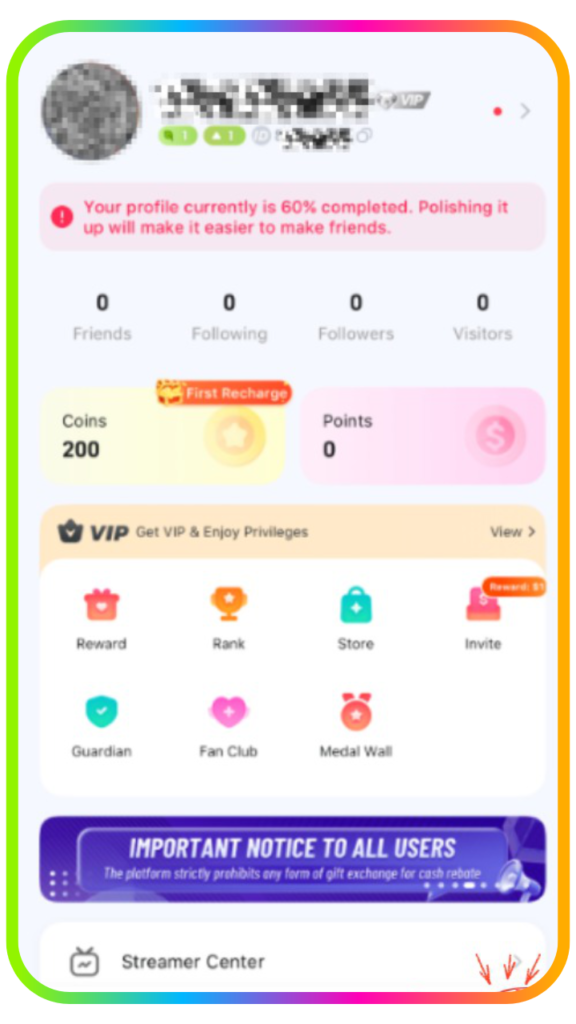
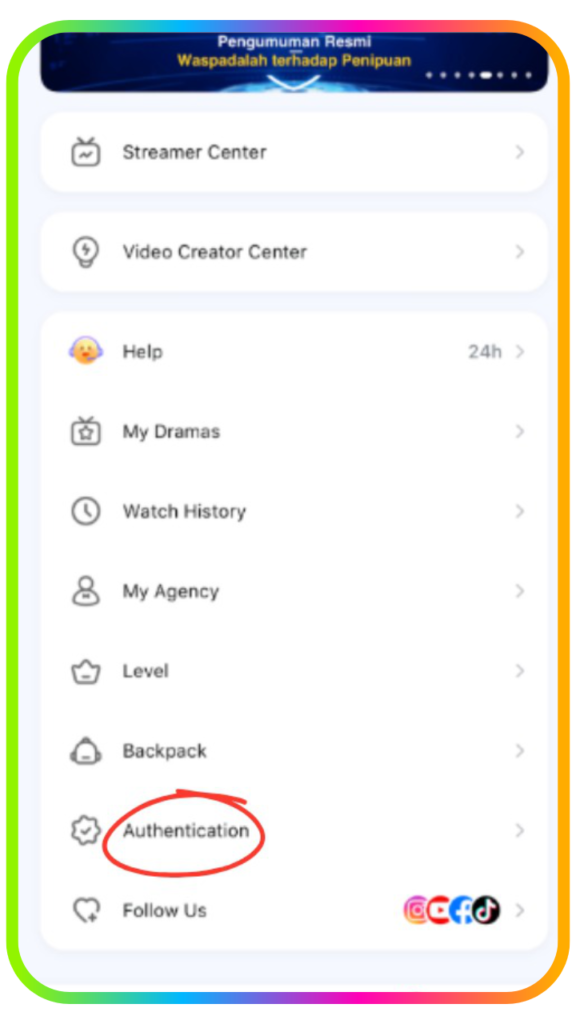
Step 2: Scroll down and select “Authentication.”
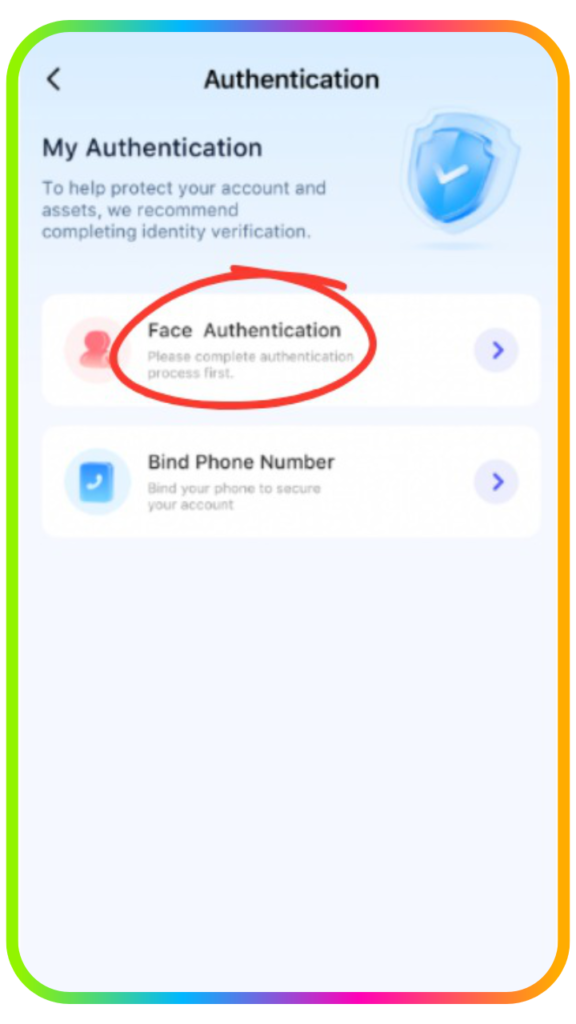
Step 3: Tap “Face Authentication.”
Step 4: Position your face within the camera frame, then tap “Start to Certificate” to begin the verification process.
What to Keep in Mind During Face Verification
- Use Proper Lighting and a Suitable Background
Find a location with sufficient lighting and a simple background before beginning the verification. Make sure the lighting is neither too bright nor too dark, and avoid having a strong light source behind you to prevent inaccurate results.
- Keep Your Face in the Right Position
Look straight into the camera and place your face in the center of the frame. Follow each instruction displayed on the screen, such as blinking, turning your head, or smiling. Make sure to complete every movement as instructed for a successful verification.
How to Choose an Agency on Poppo Live
Joining an agency can provide extra guidance, support, and opportunities to help you grow as a livestream host. If you’re ready to work with an agency, follow these steps:
Step 1: Open Your Profile
Go to your profile and access your account settings.
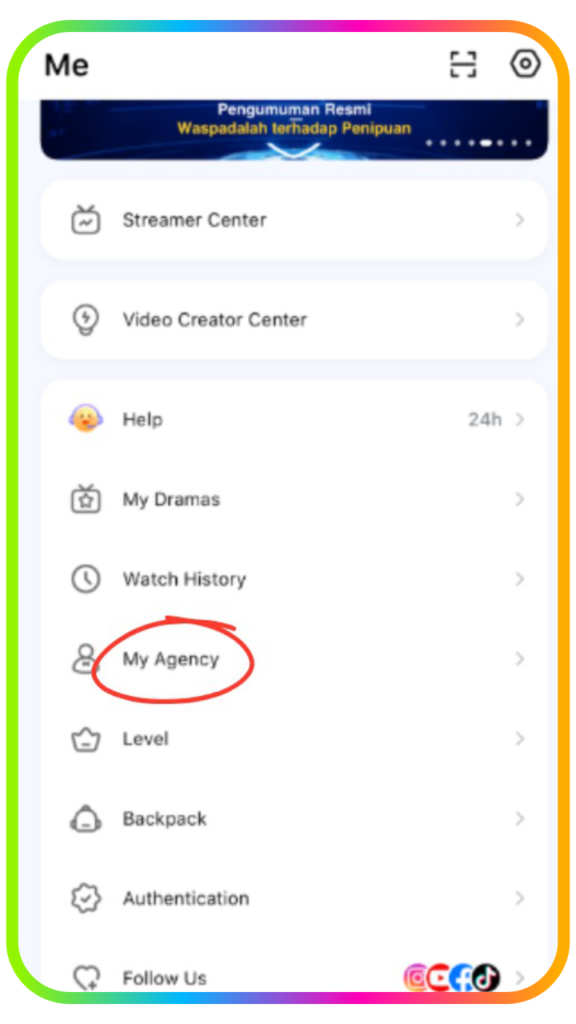
Step 2: Tap “My Agency”
Scroll through the settings menu until you find “My Agency,” then select it.
Step 3: Select a Joining Option
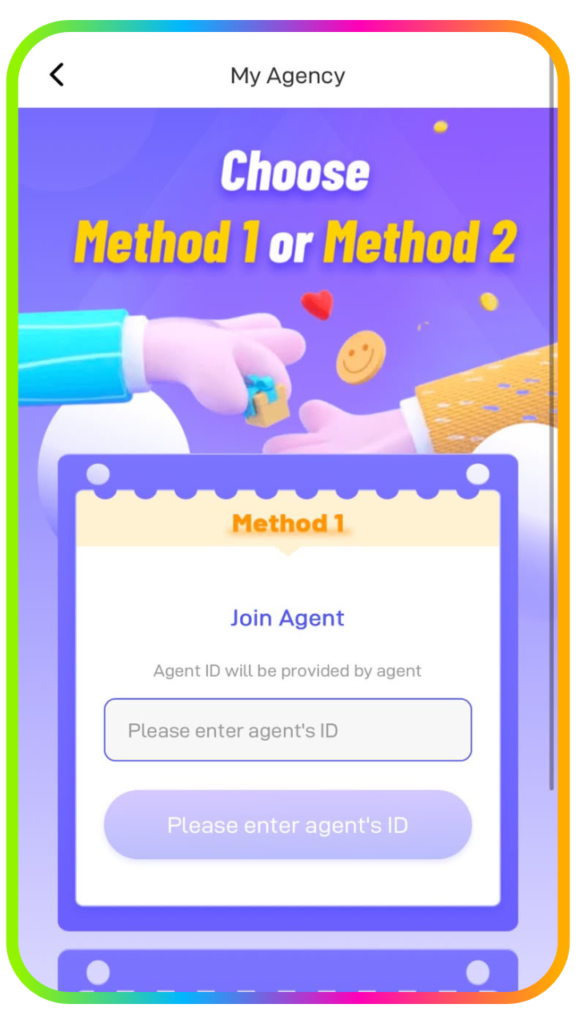
Choose the method you prefer for connecting with an agency.
Step 4: Enter the Agent ID or Share Your Host ID
Enter the agency’s Agent ID (4345306) inside the box and join the agency instantly and start your livestream. You can also share your Host ID with the agencies on Poppo Live and wait for the invitation on your account.
Frequently Asked Questions
1. What can I do if face authentication doesn’t work?
Check that your face is clearly visible and that you are completing the process in a properly lit area. Avoid direct or insufficient lighting, as either can affect the verification result. Keep your face aligned with the camera and complete each movement requested on the screen, including blinking, smiling, or turning your head.
2. How much time is needed for account verification?
The review process normally requires 1–3 business days. After three days, you can return to your account to view the latest verification status. An approved application will automatically upgrade your account to verified host status, while an unsuccessful attempt can be submitted again.
3. Is it possible to be affiliated with multiple agencies?
Each account is restricted to one agency connection at a time, so you cannot join multiple agencies simultaneously.
4. Where can I begin a livestream?
Enter your “Profile” and open the “Streamer Center” to access the livestreaming features. Before starting your broadcast, you can set details such as the stream title and relevant tags to make your content easier for suitable viewers to find.
5. How frequently am I allowed to update my username?
New accounts can update their username up to twice during the first 7 days. Once the initial seven-day period ends, another nickname change can only be made once every 30 days.
Grow Your Poppo Live Community
Your Poppo Live hosting journey can officially begin! With your account verified and prepared, you can go live, interact with viewers, and gradually build your own community. Stay active, experiment with different features, and keep improving your livestreams as you grow.
Looking for more tips? Check out our other articles on this link for useful guides and insights to help you get more from your Poppo Live journey. Join us now by sending us a message on this link or join as a host or agency here.